AI-Powered Workflow for Creative Studios & Photographers
AI-Powered Workflow for Creative Studios & Photographers
Galleries
/
AI Culling
/
AI Search
/
Invoicing
Payments
/
Portfolio
/
Booking
/
Client Management
/
Multi-Location



Your Client Gallery & Invoicing Platform
Focus on what you love — creating amazing work. We'll handle galleries, invoicing, payments, booking, and more.
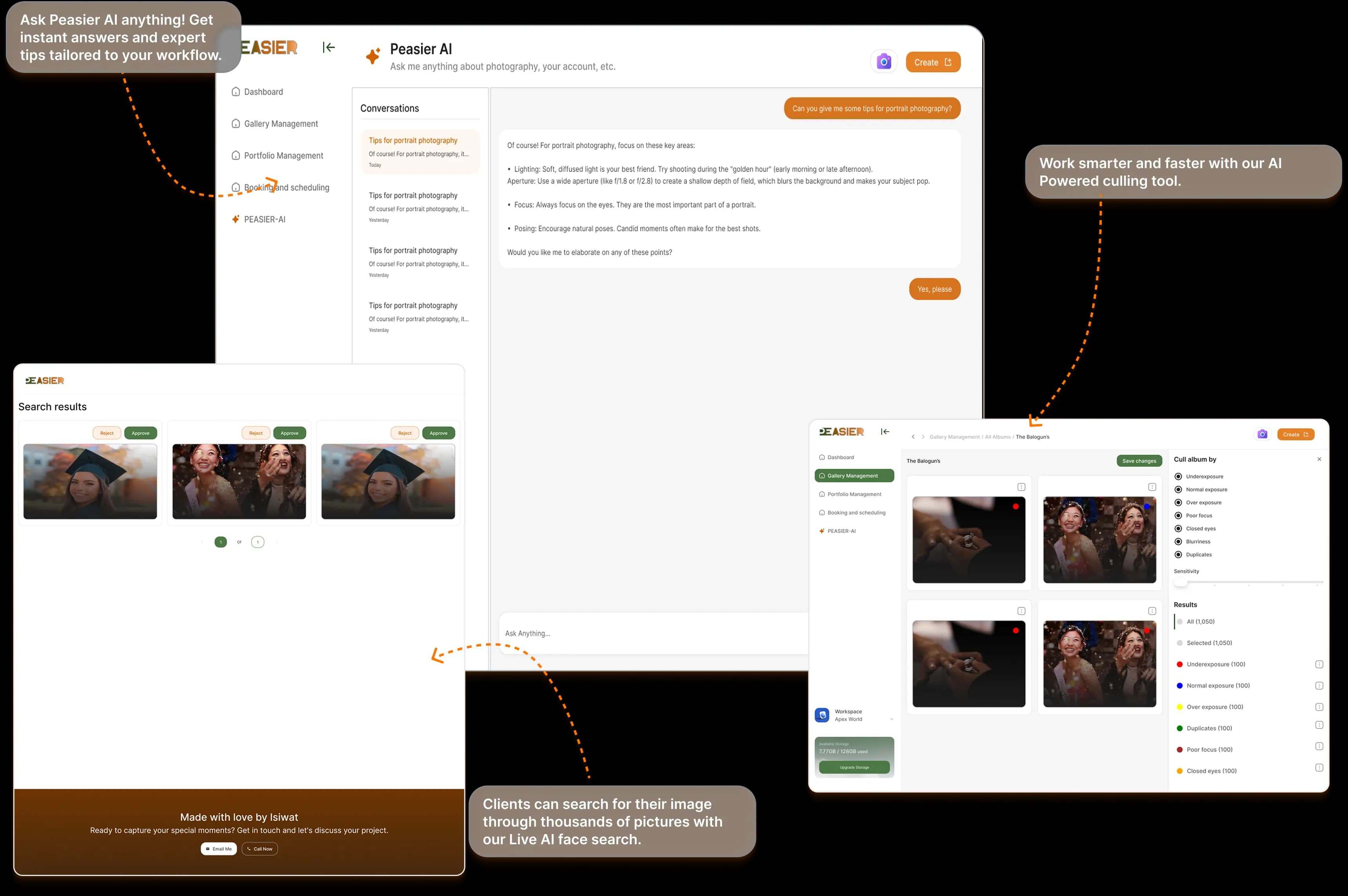
Peasier brings your entire creative business into one platform. Cull thousands of photos with AI, deliver stunning client galleries, send professional invoices, and accept payments — all without switching between tools. Built for solo creatives, growing studios, and multi-location production teams alike.

AI-Powered Search
Find any photo instantly with AI facial recognition and smart tagging across your entire library.

Secure & Private
Bank-level encryption keeps your client photos safe and confidential.

Lightning Fast
Upload and organise thousands of photos in minutes, not hours.

Beautiful Client Galleries
Create stunning white-label client galleries with custom branding that wow your clients.

Team Collaboration
Work seamlessly with your team on any project, anywhere.

Invoicing & Payments
Send invoices and collect payments for photo packages — your complete client gallery & invoicing platform.
Multi-Location Management
Run several studios inside one account. Easily switch between locations while keeping clients and subscriptions shared.
AI-Powered Workflow for Every Photographer & Studio
From photo management to client galleries, invoicing, and business growth.
Our AI handles the heavy lifting — from facial recognition search that lets clients find their own photos, to smart culling that saves hours of editing time. Spend less time on admin and more time behind the lens.
Peasier Portfolio
Build your professional portfolio right here. Compile your best work into a stunning, personalised showcase in minutes. Share your unique portfolio link with clients, employers, and collaborators with a single click.
The best part? Your clients don't need an account on our platform; they can view your beautifully presented work instantly via the web link. Showcase your talent effortlessly and land your next big opportunity.



Turn Your Workflow Into A Masterpiece
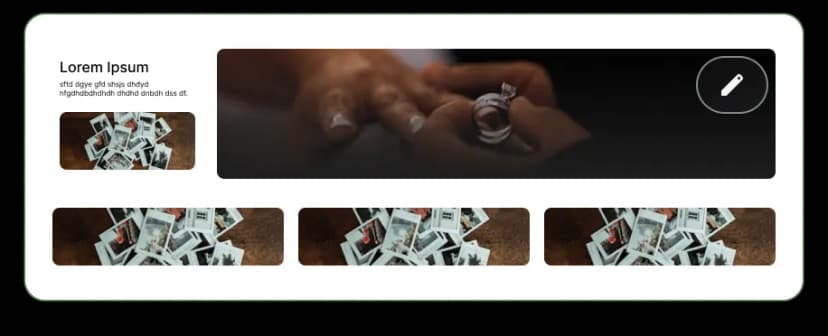
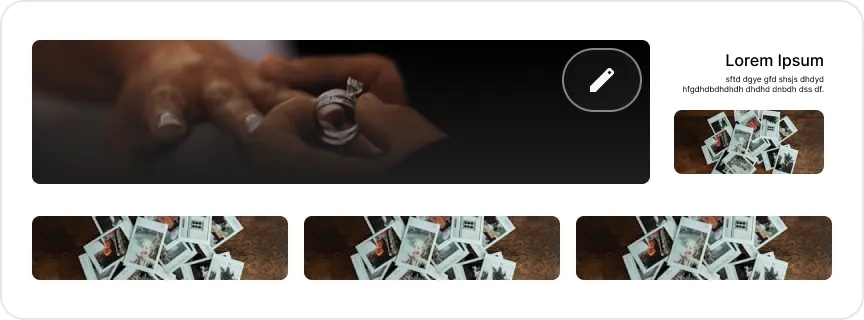
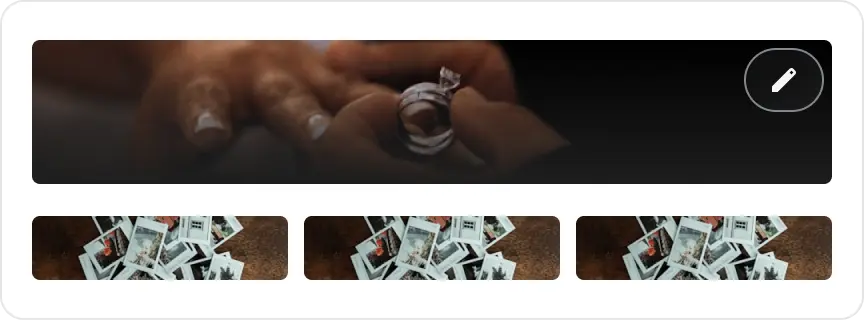
Create white-label gallery templates, customise layouts, covers, and colour palettes.




Frequently Asked Questions
Everything you need to know about Peasier — the AI-powered platform for creative studios and photographers.
What is Peasier?
Peasier is an all-in-one software platform for creative studios that combines client booking, gallery delivery, invoicing and payments, contracts, AI-assisted culling and face search, equipment and resource tracking, and a public portfolio site — replacing the five or six separate tools studios typically stitch together.
Who is Peasier built for?
Peasier is built for creative studios — most commonly photography (wedding, portrait, and event photographers), but the same tools fit content/video production studios and equipment rental businesses too, including multi-location studios running teams of staff. Studio owners, admins, and staff each get role-appropriate access; the studio's clients use Peasier without ever creating an account.
How Does Booking & Scheduling Work?
Studios define their own session types — a wedding package, a portrait session, an hourly room rental — each with its own pricing, add-ons, and availability. Peasier checks every new booking against existing ones and flags overlapping rooms, equipment, or staff automatically, and can require a refundable deposit for higher-risk bookings. Clients can reschedule or cancel their own booking through a private link with no account needed, and if a session type requires a signed contract, it's sent out automatically the moment the booking is confirmed.
Can Peasier Handle Custom or Multi-Service Studio Setups?
Yes. Studios that offer more than one thing — say, photography sessions and a separately rentable content room — can set each up as its own session type with its own pricing and availability, while shared rooms, gear, or crew are protected from double-booking automatically. It's built to model real studio setups, not just a single generic "book an appointment" flow.
Can I Track Equipment and Other Inventory?
Yes. Bookable rooms, gear, and crew can be tracked as pooled resources that Peasier auto-reserves against bookings, while individual serialized items — a specific camera body or lens — get their own record with condition, location, and a full checkout/check-in history. Owners and admins also get reports covering distribution across branches, lost items, replacement candidates, utilization, and total equipment value.
Does Peasier Support Contracts and E-Signatures?
Yes. Peasier includes its own e-signature tool for booking agreements and other studio contracts, with one-time email verification before signing, a tamper-sealed final document once everyone's signed, and an AI assistant that can draft or edit contract language in plain English for a studio to review before sending.
How Do Staff Roles and Permissions Work?
There are four roles. Owner runs the whole organization, every branch included. Org Admin is also organization-wide, with full operational control across every branch without a separate invite at each one. Photographer and Editor are the day-to-day staff roles — bookings, uploads, culling, invoices, and contracts — scoped to whichever branch someone's actually assigned to. The same person can hold different staff roles at different branches.
Can I Run Multiple Studio Locations From One Account?
Yes. One studio brand can run multiple branches under a single account, with an Active Location selector to switch between them in a click. Client identity, sensitive-client protection, and staff roles all work consistently across every branch — a client who books at one location and later shows up at another is recognized as the same person, not created twice.
How Does The AI Facial Recognition Search Work?
Peasier automatically detects and tags faces in your photos so clients (or you) can find every photo of a specific person across a whole gallery in seconds. All modes require the client's consent to process their face data: Cloud is fastest for large galleries; Offline runs entirely on your own device for stricter privacy needs; Disabled turns face search off entirely for that gallery.
Can My Clients Access Photos Without Creating An Account?
Yes. Clients interact with bookings, galleries, invoices, and contracts entirely through private, tokenized links, with a one-time email code for sensitive actions like rescheduling or signing — there's no client-side login to set up or remember.
What Image and Video Formats Do You Support?
Peasier accepts all the common photo formats — JPEG, PNG, GIF, WebP, TIFF, BMP, SVG, and HEIC/HEIF straight off an iPhone — plus video in MP4, WebM, MOV, AVI, MKV, and WMV. Upload whatever your camera or phone produces and let Peasier handle previews and delivery from there.
How Does Peasier Protect Unpaid Galleries?
Every gallery that hasn't been paid for shows watermarked previews only. Full-resolution originals unlock automatically the moment the linked invoice is paid — no manual step required — while photographers can always see their own original files regardless of payment status.
Does Peasier Take a Cut of My Payments, or Hold My Money?
No. Money goes straight into your own Paystack (Naira) account, the same as if you'd signed up with that provider directly — Peasier never holds or settles a client's payment itself. Paid subscriptions are separate from gateway processing fees.
Is Client and Booking Data Encrypted and Audited?
Yes. Each studio's data is walled off from every other studio's, sensitive-client records are restricted to owners and admins, and access to personal, financial, or permission data is kept on record — in line with GDPR and NDPR.
Is There A Free Trial?
Yes. Premium and Ultimate both include a 14-day trial, so you can explore bookings, galleries, invoicing, contracts, AI culling, and the rest with your own studio's data before committing.
Still Have Questions?
We are here to help you!
Contact Us